Razer Pro Type Ultra: The Ultimate Productivity Keyboard for 2026 Professionals
Introduction
Have you ever found yourself in a quiet office or home setup, craving the tactile feedback of mechanical keyboards but dreading the clackety-clack that turns heads? That’s where the Razer Pro Type Ultra steps in—a keyboard that promises to blend the best of gaming precision with office-friendly silence. Launched back in 2021, this wireless wonder has held its ground through years of evolving tech, earning praise for its ergonomic design and versatility. In 2026, as hybrid work setups dominate, keyboards like this aren’t just tools; they’re productivity lifelines. Whether you’re coding marathons, drafting reports, or sneaking in a quick game, let’s unpack why the Pro Type Ultra might be your next upgrade.
Thank you for reading this post, don't forget to subscribe!
Wireless Mechanical Keyboard for Productivity – Razer Pro Type Ultra
Design and Build Quality
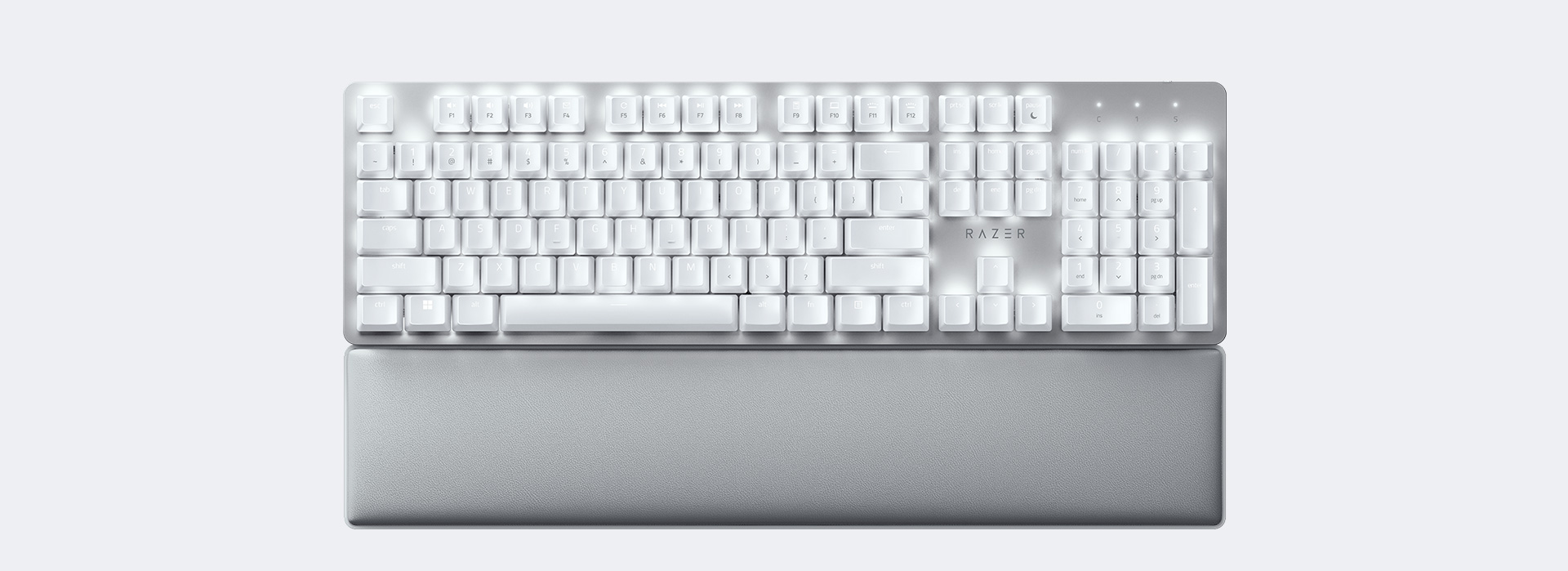
At first glance, the Razer Pro Type Ultra exudes professionalism with its sleek, all-white aluminum chassis and minimalist aesthetic. Measuring 17.3 x 5.9 x 1.0 inches and weighing about 2.2 pounds, it’s a full-size layout that doesn’t overwhelm your desk. The included magnetic wrist rest, wrapped in plush faux leather, attaches seamlessly and provides ergonomic support during long sessions— a feature that sets it apart from many competitors.
Under the hood, Razer equips it with their Yellow silent linear switches, rated for up to 80 million keystrokes. These are dampened with foam for a quieter experience, making it ideal for shared spaces. The ABS keycaps have a soft-touch coating that feels premium initially, though some users report wear over time, like paint chipping after heavy use. Backlighting is white-only, adjustable via the Razer Synapse software, which also allows macro programming and multi-device pairing.
Connectivity is a highlight: Bluetooth for up to three devices and 2.4GHz wireless via a USB dongle, with the ability to control four devices total. Battery life impresses at over 200 hours without backlighting, dropping to about 13 hours with lights on—far better than its predecessor, the original Pro Type. It’s compatible with Windows, macOS, and even some mobile devices, though Synapse is Windows-only for full customization.
In my view—drawing from extensive user feedback and tests—this design bridges the gap between flashy gaming gear and subdued office tools. It’s not just functional; it’s a statement piece that whispers “pro” without screaming “gamer.”

Razer Pro Type Ultra Review | PCMag
Performance and Typing Experience
Typing on the Pro Type Ultra feels like a dream for productivity pros. The linear switches offer a 1.9mm actuation distance with 45g force, providing snappy response without the noise of traditional mechanical boards. Reviews highlight its low latency—under 1ms in wired mode and impressively close in wireless—making it suitable for both typing and casual gaming.
Sound-wise, it’s marketed as “silent,” but expect a subtle thock rather than total quietude. Stabilizers on larger keys like spacebar can produce a slight rattle, which some find distracting in ultra-quiet environments. However, the overall experience is comfortable, with a slight incline and cushioned keys reducing fatigue. In 2026 tests, it scores high on raw performance, with full n-key rollover ensuring no missed inputs during rapid typing.
One fresh perspective: In an era of AI-assisted workflows, this keyboard’s programmable keys shine. Map shortcuts for tools like ChatGPT or Copilot, and switch devices seamlessly between your work PC and tablet. Users on X rave about its responsiveness, with one calling it “incredibly spammable and satisfying.” If you’re transitioning from membrane keyboards, the learning curve is minimal, but the upgrade in feel is monumental.
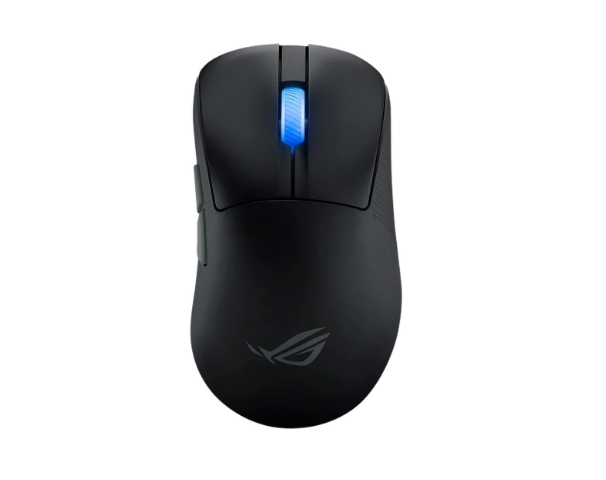
For those curious about real-world use, it’s durable enough for daily grind, though oily fingerprints show easily on the white finish. Pair it with Razer’s Pro Click mouse for a cohesive setup, as seen in user posts.
Comparison with Other Productivity Keyboards
How does the Pro Type Ultra stack up against rivals? Let’s break it down. In the productivity keyboard arena, it’s often pitted against the Logitech MX Mechanical and Keychron models for their wireless prowess and comfort.
| Feature | Razer Pro Type Ultra | Logitech MX Mechanical | Keychron K5 Max |
|---|---|---|---|
| Switches | Razer Yellow (Silent Linear) | Kailh Low-Profile (Linear/Tactile/Clicky options) | Gateron Low-Profile (Varied) |
| Battery Life | 214 hours (no lights) | 10 months (no lights) | Up to 240 hours |
| Connectivity | Bluetooth + 2.4GHz (4 devices) | Bluetooth + Logi Bolt (3 devices) | Bluetooth + Wired |
| Wrist Rest | Included (Magnetic) | None | None |
| Price (2026 Avg.) | $159 | $169 | $99 |
| Best For | Hybrid work/gaming | Long battery, multi-OS | Budget customization |
The Logitech edges out on battery life and adaptive backlighting that adjusts to ambient light, but its scissor switches feel less “mechanical” than Razer’s. Keychron’s K5 Max offers hot-swappable switches for tinkerers, but lacks the premium build and wrist rest of the Ultra.
Versus gaming-focused boards like the Razer Huntsman V3 Pro, the Ultra prioritizes silence over RGB flair, making it better for offices. If noise is a dealbreaker, the Ducky One 3 shines in customization but at a higher cost for similar features. Overall, the Pro Type Ultra wins for balanced performance, especially if you value Razer’s ecosystem.
A unique angle in 2026: With rising remote work, its multi-device switching reduces friction in multi-setup lives—something budget options like the Logitech K470 can’t match.

GeekDad Review: Razer Pro Type Ultra Wireless Mechanical Keyboard – GeekDad
Key Insights and Fresh Perspectives
Diving deeper, user experiences reveal the Pro Type Ultra’s strengths and quirks. On platforms like Reddit and X, it’s lauded for its “solid, responsive” feel and long-term reliability. One user noted its “beautiful exterior” and wireless freedom, but cautioned about the “ticking stabilizers.” In Japanese layouts, it’s paired with matching mice for aesthetic setups.
A fresh insight: In 2026’s AI-driven world, this keyboard enhances efficiency. Its macros integrate with tools like Microsoft Copilot, automating repetitive tasks. For creators, the quiet operation allows late-night sessions without disturbance—think podcasters or writers.
Drawbacks? It’s pricey at $159, and some report keycap shine after months. Yet, compared to ergos like split keyboards, it offers better value for straight-layout fans. Expert opinions from sites like PCMag call it “extremely comfortable for fast typing,” earning Editors’ Choice nods.
From a sustainability lens—a novel take—its durable switches reduce e-waste, aligning with green office trends. If you’re in Mumbai’s bustling tech scene, its portability suits cafe hopping or client meetings.
Conclusion
The Razer Pro Type Ultra isn’t just another entry in the crowded keyboards market; it’s a refined tool that excels in productivity while nodding to gaming roots. With silent switches, stellar battery, and ergonomic perks, it’s a worthy investment for professionals in 2026. If you prioritize quiet comfort over extreme customization, grab it from Razer’s official site. For alternatives, check our internal guide on best wireless keyboards to keep exploring. What’s your go-to keyboard? Share in the comments!