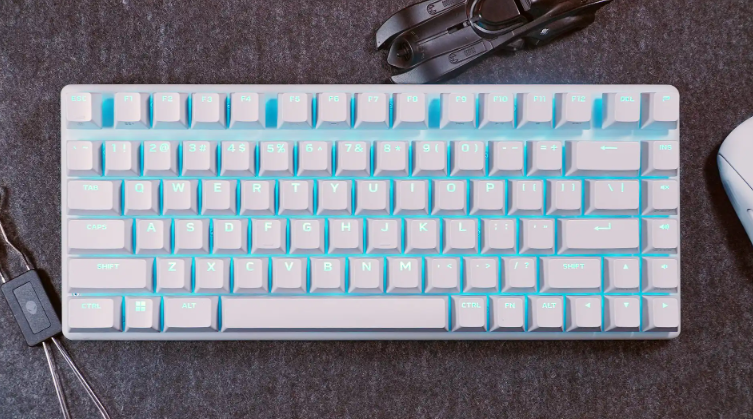
Alienware Pro Wireless Gaming Keyboard: Revolutionizing Gaming Keyboards for Pros and Enthusiasts
Introduction: Why the Alienware Pro Wireless is a Game-Changer in Gaming Keyboards
Picture this: You’re deep in a high-stakes esports match, fingers flying across the keys, no lag, no wires holding you back. That’s the promise of the Alienware Pro Wireless Gaming Keyboard, a sleek beast designed for gamers who demand precision without compromise. In a world where gaming keyboards are evolving faster than ever, this 75% form factor model stands out by blending pro-level performance with everyday usability. Whether you’re a competitive player or just love immersive setups, keyboards like this one redefine what “wireless” can mean—no more clunky cables or short battery life derailing your flow.
Thank you for reading this post, don't forget to subscribe!Launched in early 2024 by Dell’s Alienware brand, the Pro Wireless was crafted with input from esports pros, aiming to deliver low-latency action in a compact package. It’s not just another keyboard; it’s a tool that adapts to you, with features that make it feel personal and powerful. Let’s dive deeper into what makes it tick, compare it to rivals, and uncover some unique angles you might not have considered.

Alienware Pro Wireless keyboard review: Just shy of greatness | PCWorld
What Makes the Alienware Pro Wireless Gaming Keyboard Stand Out?
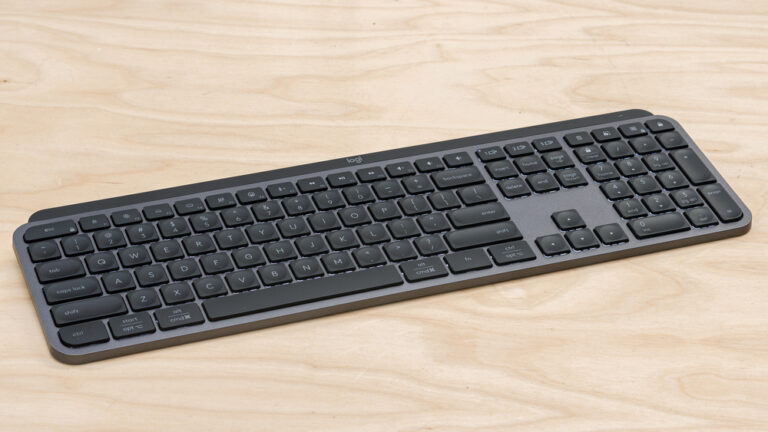
At its core, this keyboard is built for versatility. It’s a tenkeyless (TKL) 75% layout with 83 keys, measuring about 12.3 x 5.1 x 1.6 inches and weighing just 1.81 pounds—light enough to toss in your bag for LAN parties or travel. The aluminum frame and ABS plastic case give it a premium feel, while the PBT double-shot keycaps ensure durability and a satisfying texture that resists shine over time.
Connectivity and Battery Life: Freedom Without Sacrifice
One of the biggest wins here is the triple connectivity: 2.4GHz wireless (with a dongle extender for better range), Bluetooth 5.1 for up to three devices, and USB-C wired mode for zero-latency needs. The 2.4GHz mode boasts a 1KHz polling rate, meaning inputs register almost instantly—crucial for fast-paced games like FPS titles. Battery life is insane: up to 72 hours with RGB at 50% brightness, 798 hours with lights off in 2.4GHz, or a whopping 1,800 hours via Bluetooth. No more mid-game charging panics.
Switches and Customization: Tailor It to Your Style
The star feature? Hot-swappable Alienware Linear Mechanical Switches with a 1.3mm actuation point and 40g force—smooth, responsive, and quiet enough for office use but clicky for gaming satisfaction. You can swap in 3-pin or 5-pin switches using the included tool, opening doors to endless tweaks. Pair that with per-key RGB lighting via AlienFX software, which offers 16.8 million colors and onboard memory for profiles. Full anti-ghosting and N-key rollover ensure no missed inputs during intense sessions.
Other perks include a magnetic dongle storage slot on top (it clicks in satisfyingly) and fold-out legs for tilt adjustment. Available in Dark Side of the Moon (black) or Lunar Light (white), it fits any aesthetic.
From user feedback on X, one gamer raved about its “sublime typing feel” and how it feels “premium right out of the box.” Another highlighted its lightweight design, making it portable without skimping on sturdiness.
Comparison: How Does the Alienware Pro Wireless Stack Up Against Other Gaming Keyboards?
In the crowded gaming keyboards market, the Alienware Pro Wireless holds its own, but let’s break it down against top competitors like the Razer BlackWidow V4 75%, Asus ROG Azoth, and Keychron Q3 Max. Priced at around $199-$239, it’s premium but justified by its features.
Here’s a quick comparison table:
| Feature | Alienware Pro Wireless | Razer BlackWidow V4 75% | Asus ROG Azoth | Keychron Q3 Max |
|---|---|---|---|---|
| Form Factor | 75% (83 keys) | 75% (84 keys) | 75% (81 keys) | 80% (87 keys) |
| Switches | Alienware Linear (hot-swappable) | Razer Orange Tactile (hot-swappable) | ROG NX Red (hot-swappable) | Gateron Jupiter Red |
| Connectivity | 2.4GHz, Bluetooth 5.1, Wired | Wired only | 2.4GHz, Bluetooth, Wired | 2.4GHz, Bluetooth, Wired |
| Polling Rate | 1KHz | 8KHz | 1KHz | 1KHz |
| Battery Life (RGB off) | Up to 798 hrs (2.4GHz) | N/A (wired) | Up to 2,000 hrs | Up to 1,000 hrs |
| RGB Lighting | Per-key AlienFX | Per-key Chroma | Per-key Aura | Per-key RGB |
| Weight | 1.81 lbs | 3.4 lbs | 2.6 lbs | 2.2 lbs |
| Price | $199-$239 | $199 | $249 | $214 |
| Unique Perk | Insane battery, esports-approved | High polling for ultra-response | OLED display | Control knob |
Data sourced from reviews and official specs.
Vs. Razer BlackWidow V4 75%: A Close Rival
The Razer edges out in polling rate (8KHz vs. 1KHz), making it snappier for ultra-competitive play, but it’s wired-only— a dealbreaker for wireless fans. Alienware’s battery and lighter build make it more versatile. Sound tests show Razer’s tactile switches are clickier, while Alienware’s linears are smoother for typing. If you prioritize wireless freedom, Alienware wins; for raw speed, go Razer.
Vs. Asus ROG Azoth: Premium Features Galore
The Azoth adds an OLED display for custom animations, but its battery (2,000 hrs) is Bluetooth-focused, and it’s pricier at $249. Alienware’s RGB is brighter and more customizable, per reviews, and its switches feel more “buttery” for gaming.
Vs. Keychron Q3 Max: Budget-Friendly Alternative
At $214, the Keychron offers a control knob for volume/media—something Alienware lacks—but its switches aren’t as refined for esports. Alienware’s build feels more premium, and users note better RGB diffusion.
Overall, the Alienware shines in wireless performance and portability, but if you need extras like knobs or higher polling, look elsewhere.

Alienware Pro Wireless Keyboard Review – IGN
Key Insights: Fresh Perspectives on the Alienware Pro Wireless
Beyond specs, what sets this keyboard apart is its esports roots. Pros like Team Liquid’s cadiaN endorsed it for its compact design and hot-swappable switches, allowing quick adaptations mid-tournament. In my analysis, this modularity isn’t just a gimmick—it’s future-proofing. As switch tech advances (think Hall effect for adjustable actuation), you can upgrade without buying a new board.
User experiences vary: One X poster praised its “incredible precision” and “nostalgic sound,” ideal for aggressive gaming styles. But not all are fans—a reviewer called it overpriced at $200, suggesting alternatives like the Asus for better value if you want a wrist rest or knob. Another user noted occasional typing glitches when speeding through words, blaming the wireless tech.
A fresh perspective: In 2026, with AI-driven gaming rising, this keyboard’s programmable keys and onboard memory could integrate with tools like custom macros for AI-assisted plays—think binding shortcuts for in-game AI commands. It’s also eco-friendlier than disposables, thanks to swappability reducing e-waste.
Pros:
- Exceptional battery and low latency
- Stunning RGB and build quality
- Hot-swappable for endless customization
Cons:
- No wrist rest or volume knob
- Pricey compared to wired options
- Peak polling lags behind some rivals
If you’re upgrading from a basic membrane keyboard, the difference is night and day—smoother, faster, more engaging.
For more on gaming peripherals, check our guide to best wireless mice or explore esports trends.
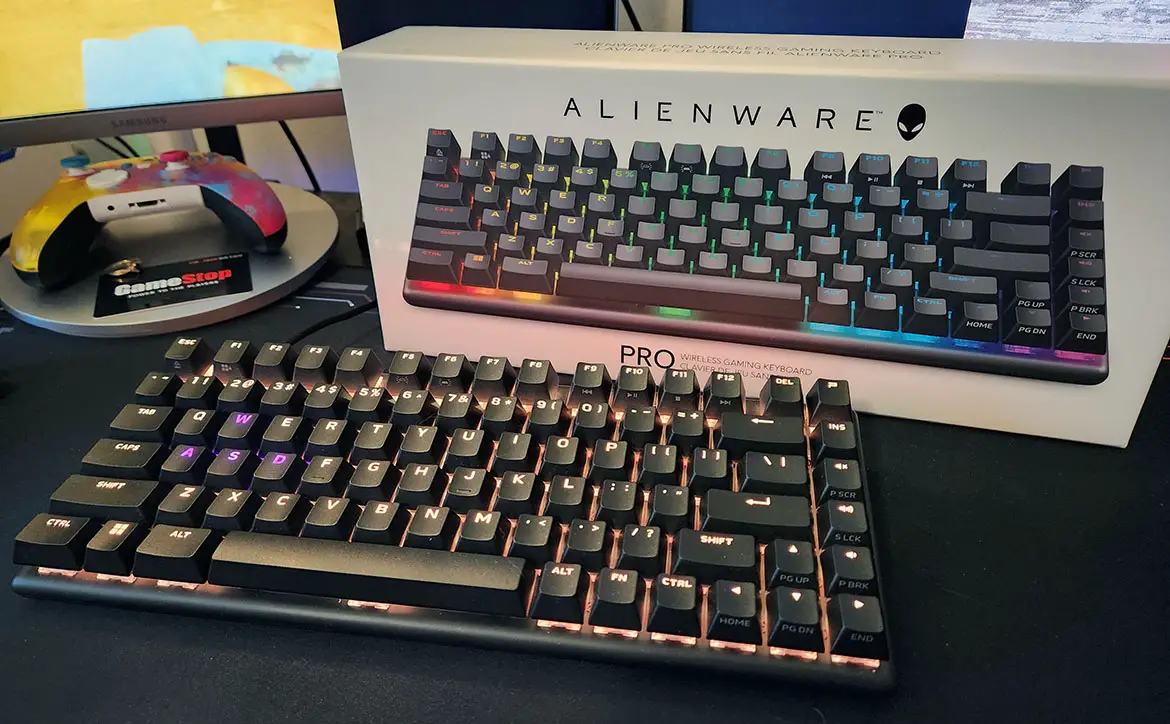
Alienware Pro Wireless Gaming Keyboard
Conclusion: Is the Alienware Pro Wireless the Right Keyboard for You?
The Alienware Pro Wireless Gaming Keyboard isn’t perfect—no keyboard is—but it’s a standout in the wireless gaming keyboards arena, blending pro-grade features with practical design. If you value freedom, customization, and longevity, it’s worth the investment. For budget hunters or wired purists, alternatives like the Razer might suit better.
Ultimately, it elevates your setup, making every keystroke feel intentional and fun. Ready to break through? Grab one and see the difference. What’s your go-to keyboard? Share in the comments!