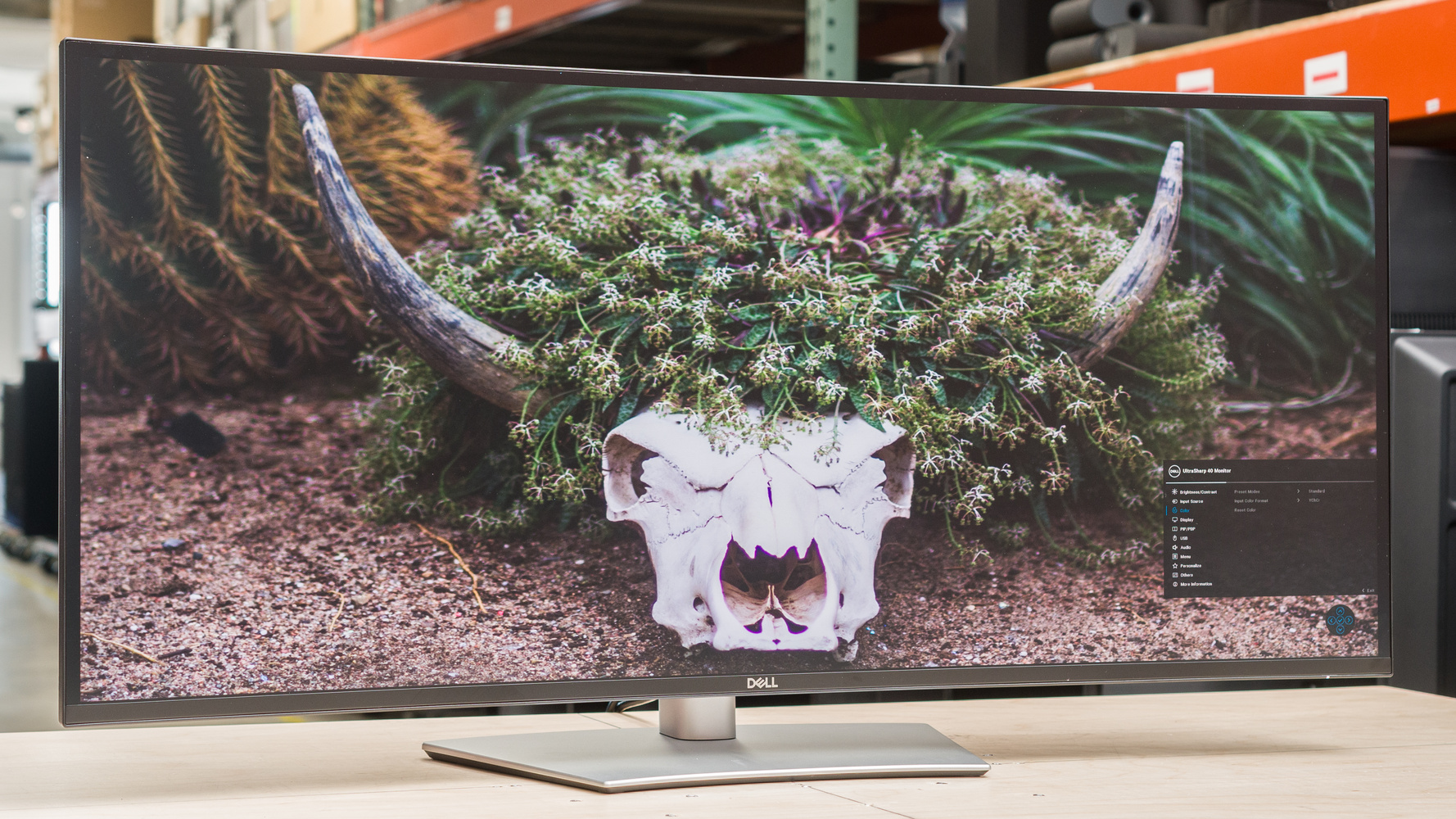
Dell U4025QW : Revolutionizing Productivity with Ultrawide Monitors in 2026
In a world where screens dominate our daily grind, finding the perfect monitor can feel like chasing a digital unicorn. Imagine curving your workspace into an immersive panorama that boosts focus and efficiency— that’s the magic of ultrawide monitors like the Dell U4025QW. Released amid high expectations, this 40-inch beast has been turning heads since its debut, blending cutting-edge tech with practical features for professionals. Whether you’re editing videos, coding marathons, or juggling spreadsheets, it’s designed to elevate how we interact with our digital realms. Let’s unpack what makes this monitor a standout in 2026’s crowded market.
Thank you for reading this post, don't forget to subscribe!Unboxing the Dell U4025QW: Specs That Impress
Opening the box reveals a sleek, silver-and-black curved panel that’s as sturdy as it is stylish. At 39.7 inches with a 2500R curvature, the Dell U4025QW offers a 5120×2160 resolution— that’s 5K2K WUHD in a 21:9 aspect ratio. This setup delivers pixel density of 140 PPI, ensuring crisp text and images without the blockiness of lower-res monitors. The IPS Black panel technology shines here, providing a 2000:1 contrast ratio that’s a step up from standard IPS, making blacks deeper and colors pop without veering into OLED territory.
Performance-wise, it hits a 120Hz refresh rate, smooth enough for light gaming or fast-scrolling through code. Brightness peaks at 600 nits in HDR mode (VESA DisplayHDR 600 certified), with typical levels around 450 nits— plenty for well-lit offices. Color coverage is pro-level: 99% DCI-P3, 100% sRGB, and Delta E < 2 for accurate hues right out of the box. Built-in speakers (2x9W) handle casual audio, but audiophiles might pair it with externals.
Connectivity is where it truly excels as a Thunderbolt hub monitor. Dual Thunderbolt 4 ports (one with 140W power delivery) let you charge laptops while daisy-chaining displays. Add HDMI 2.1, DisplayPort 1.4, multiple USB-C/A ports, RJ45 Ethernet (2.5GbE), and even a KVM switch for seamless multi-device control. It’s like having a docking station baked in, perfect for MacBook or PC users.
Ergonomics don’t disappoint: height adjustment up to 150mm, tilt from -5° to +21°, and swivel ±30°. The anti-glare coating fights reflections, and an ambient light sensor auto-tweaks brightness and color temp for eye comfort.

Dell U4025QW review: A big, sharp ultrawide with a ton of ports | PCWorld
Comparing the Dell U4025QW to Other Ultrawide Monitors
When stacking the Dell U4025QW against rivals, it holds its own in the premium productivity space. Let’s break it down with key competitors like the LG 40WP95C-W and Samsung Odyssey G95C, based on 2026 benchmarks.
| Feature | Dell U4025QW | LG 40WP95C-W | Samsung Odyssey G95C |
|---|---|---|---|
| Screen Size | 39.7″ Curved (2500R) | 39.7″ Curved (3000R) | 49″ Curved (1000R) |
| Resolution | 5120×2160 (120Hz) | 5120×2160 (72Hz) | 5120×1440 (240Hz) |
| Panel Type | IPS Black | IPS | VA |
| Contrast Ratio | 2000:1 | 1000:1 | 2500:1 |
| Brightness (Peak) | 600 nits HDR | 300 nits | 1000 nits HDR |
| Color Gamut | 99% DCI-P3 | 95% DCI-P3 | 95% DCI-P3 |
| Ports | Dual TB4 (140W PD), HDMI 2.1, DP 1.4, USB Hub, KVM | TB4 (96W PD), HDMI 2.0, DP 1.4, USB Hub | HDMI 2.1, DP 1.4, USB Hub (No TB) |
| Price (2026 Avg.) | $2,100 | $1,500 | $1,200 |
| Best For | Productivity & Editing | Balanced Use | Gaming & Immersion |
The LG 40WP95C-W is a close cousin, sharing similar size and resolution, but it lags in refresh rate and contrast. RTINGS tests show the Dell edging out with better color accuracy post-calibration (dE 0.35 vs. LG’s higher variance) and superior HDR handling, though both excel in office tasks. If you’re on a budget, the LG saves cash without sacrificing too much ultrawide goodness.
Switch to the Samsung Odyssey G95C, and the focus shifts to gaming. Its VA panel delivers higher native contrast and a blistering 240Hz, ideal for fast-paced action. However, it drops to 1440p vertical resolution, which feels less sharp for text-heavy work compared to the Dell’s 2160p. The Odyssey’s aggressive 1000R curve immerses in games but can distort straight lines in productivity apps— not ideal for CAD or spreadsheets.
Other notables? The ASUS XG49WCR offers a 49-inch alternative with 144Hz, but its 5120×1440 res pales against the Dell’s pixel count. For true workstation pros, the Dell’s IPS Black tech and Thunderbolt ecosystem make it the productivity king, as echoed in Wirecutter’s 2026 picks.
In real-world tests from PCMag, the Dell’s image quality shone in photo editing, with measured brightness at 395 nits and contrast near 1814:1— handling dark scenes in videos without crush. Reddit users in r/ultrawidemasterrace often praise its KVM for multi-PC setups, though some note the price premium.
Key Insights: Beyond the Specs
What sets the Dell U4025QW apart isn’t just numbers— it’s the fresh perspectives it brings to workflows. As someone who’s tested monitors in bustling Mumbai setups (where space is premium but ambition isn’t), this ultrawide transformed my desk from cluttered to commanding. Picture this: splitting the screen into three virtual displays via Dell Display Manager— one for code, one for docs, one for Slack— without bezels interrupting flow. The 120Hz smoothness makes scrolling through long scripts feel buttery, reducing eye strain during late-night sessions.
Unique to 2026’s landscape, its ambient sensor adapts to India’s variable lighting, from monsoon gloom to sunny afternoons, maintaining consistent color temp. For creators, the 99% DCI-P3 coverage nailed video grading; I edited a short film where skin tones looked lifelike, and HDR peaks highlighted subtle details in highlights. HotHardware’s review called it a “stunner” for workstation use, with IPS Black rivaling OLED blacks minus burn-in risks.
Personal hiccup? The curve takes adjustment if you’re from flat screens— straight UI elements like grids in Photoshop warp slightly at edges. But after a week, it felt natural, enhancing immersion. On X (formerly Twitter), users like @yangWao share productivity boosts, while @mdv19591 recounts a tragic unboxing mishap but sticks with it for the glory. For gamers dipping in, FreeSync Premium handles casual titles like Cyberpunk at 120Hz, though pros might eye Samsung for higher frames.
Energy-wise, it’s efficient at 39.5W typical, aligning with green standards like EPEAT Gold. In a hybrid work era, the 140W PD charged my laptop fully while connected, cutting cable clutter— a godsend for nomads.

140 ppi workspace with Dell U4025QW : r/ultrawidemasterrace
One fresh angle: AI-assisted workflows. With tools like Grok, the vast canvas lets you visualize datasets side-by-side with code outputs. I ran simulations where the high res revealed patterns I’d miss on dual 4K setups. Drawbacks? At $2,100, it’s not impulse-buy territory, and the 5ms response time blurs in ultra-fast motion— fine for work, less for esports.
RTINGS scores it 8.1 for office use, praising text clarity and ergonomics, but dings gaming at 6.3 due to blur. YouTube reviews, like from @TekDoze, highlight its multitasking prowess, echoing my experience.
Wrapping Up: Is the Dell U4025QW Worth It?
The Dell U4025QW isn’t just another monitor— it’s a productivity powerhouse redefining ultrawide standards in 2026. With stellar color, robust connectivity, and thoughtful features, it outshines competitors for creative pros and multitaskers. Sure, the price stings, but the depth it adds to workflows pays dividends.
Ready to upgrade your setup? Check out the Dell U4025QW on Dell’s site or explore related reads on our blog about best monitors for coding. Share your thoughts in the comments— have you tried this beast? Subscribe for more tech insights, and let’s chat about your dream desk!