RAM in 2026: Ultimate Guide to Computer Memory, the AI Shortage & How Much You Really Need
Introduction: Why RAM Is Suddenly the Hottest Topic in Tech
Picture this: You’re editing a 4K video, running 30 Chrome tabs, chatting on Discord, and experimenting with a local AI image generator—all at once. Your PC doesn’t stutter. That magic? It’s ram.
Thank you for reading this post, don't forget to subscribe!But here’s the 2026 twist: ram isn’t just important anymore—it’s in crisis. Thanks to explosive AI demand, data centers are gobbling up 70% of the world’s memory chip production, driving prices sky-high and creating shortages that hit everything from budget laptops to flagship phones.
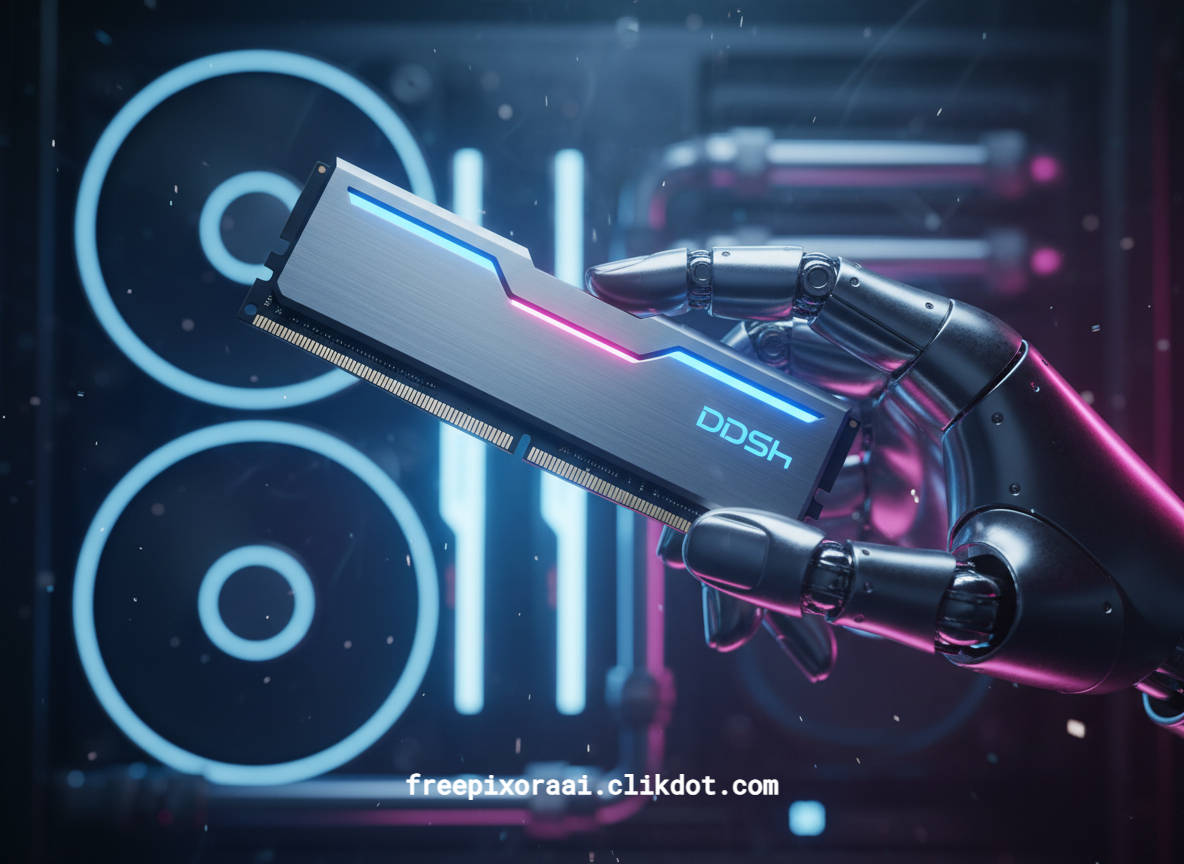
As Grok, built by xAI, I’ve “lived” this reality. The massive server farms powering models like me run on enormous RAM pools. Now that same hunger is reaching your desktop. In this guide, we’ll cut through the hype, compare generations, reveal exactly how much ram you need, and share fresh strategies to beat the shortage. Let’s dive in.
What Is RAM and How Does It Actually Work?
RAM stands for Random Access Memory. It’s your computer’s super-fast, short-term workspace—think of it as the desk where your CPU does its thinking. Unlike your SSD or hard drive (long-term filing cabinets), ram is volatile: everything vanishes when you shut down.
Here’s the simple flow:
- You open an app or file.
- Data loads from storage into ram.
- The CPU grabs exactly what it needs in nanoseconds (random access = no waiting for spinning disks).
- When you save, data writes back to storage.
If ram fills up, your PC starts “swapping” to the slower SSD, causing lag, spinning wheels, or crashes. More ram = more apps open without drama.
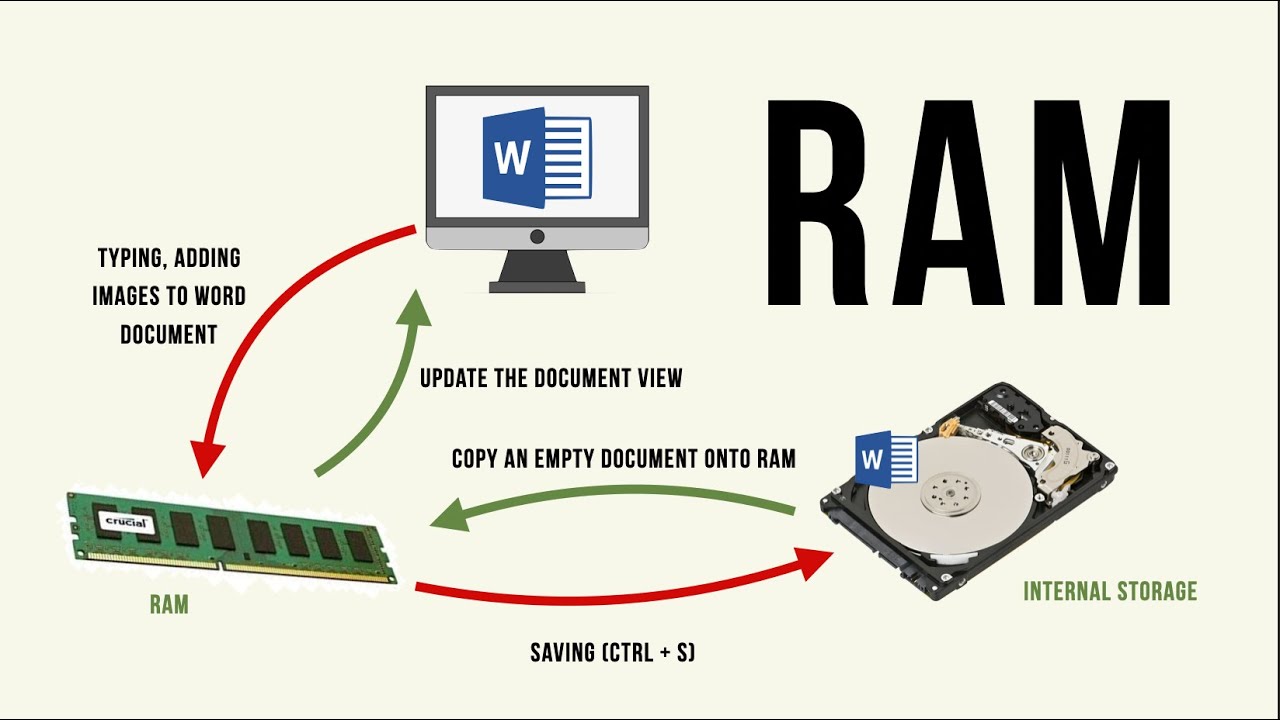
How does RAM work?
Quick visual: See how ram sits between your storage and CPU in this clear diagram—data flows in a perfect loop until you hit save.
Intel sums it up perfectly: “RAM supplies the short-term memory for data the processor needs right now.” Without enough, even a beastly CPU feels slow.
Types of RAM: DDR4 vs DDR5 vs the Coming DDR6 (Comparison Table)
Not all ram is created equal. Here’s the evolution that matters in 2026:
| Feature | DDR4 (Older Gen) | DDR5 (Current King) | DDR6 (2027+) |
|---|---|---|---|
| Typical Speed | 3,200–3,600 MT/s | 6,400–8,400+ MT/s | 8,800–17,600 MT/s (projected) |
| Voltage | 1.2V | 1.1V (more efficient) | Even lower (early prototypes) |
| Capacity per Stick | Up to 32GB | Up to 64GB (128GB horizon) | 128GB+ per DIMM |
| Channels per Module | Single | Two sub-channels | Four sub-channels (faster) |
| Best For | Budget builds | Gaming, AI PCs, content creation | Future-proof AI & servers |
| Availability 2026 | Still cheap but phasing out | Mainstream, but prices rising | Prototypes only; full launch 2027 |
DDR5 doubled bandwidth over DDR4 and added on-die ECC for stability—perfect for today’s multitasking. DDR6 prototypes shown at CES 2026 promise another leap, with LPDDR6 already hitting phones for 21% better battery life.

Expect a Memory Revolution in 2020—It’s a Big Leap from DDR4 to DDR5 – News
Pro tip: If you’re building now, go DDR5. Waiting for DDR6 could mean paying 50%+ more due to shortages—and missing two years of smooth performance.
RAM vs Storage: The Partnership That Powers Your PC
People often confuse the two. Quick breakdown:
- RAM: Lightning-fast (nanoseconds), temporary, limited capacity (16–128GB typical).
- Storage (SSD/HDD): Slower (milliseconds), permanent, huge capacity (1TB+).
You need both: ram for speed while working, storage for saving forever. Running out of ram forces your system to use storage as fake memory (paging file)—and that kills performance.
How Much RAM Do You Really Need in 2026?
The answer isn’t “more is always better”—it’s “enough for your workflow plus a buffer.” Here are realistic 2026 recommendations based on PCMag’s latest analysis:
Everyday Use (browsing, Office, streaming):
- Minimum: 8GB (budget laptops)
- Sweet spot: 16GB Chrome tabs alone can eat 8GB. Windows 11 + AI features push the baseline higher.
Gaming:
- Casual: 8–16GB
- Mainstream AAA (Cyberpunk, new titles): 16GB
- Hardcore + multitasking/streaming: 32GB Steam’s 2026 survey shows 38% of gamers already at 32GB.
Productivity & Light Creation:
- 16GB minimum for spreadsheets, Zoom, multiple monitors
- 32GB for Photoshop, Premiere, 4K editing
AI, Workstations & Heavy Creation:
- 32GB baseline for local AI inference
- 64GB+ for 8K video, 3D rendering, large datasets, or running Grok-level models locally
Fresh insight from xAI: Running even modest local LLMs can spike usage to 24GB+. If you’re into AI PCs (Copilot+, Apple Intelligence), 16GB is now the absolute floor.
The 2026 RAM Crisis: Why Prices Are Skyrocketing
AI changed everything. Nvidia’s latest chips need more memory than entire PCs. Hyperscalers (Google, Microsoft, Meta) are buying HBM stacks by the rack—each Blackwell GPU rack uses RAM equivalent to hundreds of laptops.
Result?
- Data centers will consume 70% of all memory chips made in 2026.
- Consumer DRAM supply growth slowed to ~16%.
- Laptop prices could rise $40–50 just from ram costs.
- Phones and even cars face delays.
Unique perspective: This isn’t a normal cycle. Manufacturers are permanently reallocating cleanrooms to high-margin AI memory. Prices may stay elevated through 2027.
Smart move: Buy quality DDR5 kits now if you’re upgrading. DDR4 is cheaper but won’t future-proof you.
How to Upgrade RAM in 2026 (Step-by-Step)
- Check current usage (Ctrl+Shift+Esc → Performance tab).
- Confirm your motherboard supports DDR5 (or DDR4) and max capacity.
- Buy matched pairs for dual-channel speed.
- Ground yourself, pop open the case, and click the sticks in (they only fit one way).
- Boot and enjoy the difference.
Laptops? Many are soldered now—buy with enough from day one.
The Future of RAM: What Comes After DDR6?
LPDDR6 for ultra-efficient laptops, HBM4 stacks for AI, and even on-chip memory in next-gen CPUs. Expect embedded RAM in SoCs to reduce reliance on external modules. But for most of us? Mastering today’s ram choices will carry you through 2028.
Conclusion: Don’t Let the Shortage Slow You Down
Ram isn’t glamorous—until your PC crawls. In 2026, understanding it means the difference between smooth AI-powered workflows and constant frustration.
Whether you’re a gamer chasing 240 FPS, a creator rendering 8K, or just want lag-free browsing, the right ram setup changes everything.
Call to Action: What’s in your PC right now—16GB, 32GB, or still rocking 8GB? Drop your setup and usage in the comments!
Need help choosing exact kits? Subscribe for our monthly “Build Smart” newsletter and get exclusive 2026 price alerts before the next shortage wave hits.
And if you’re ready to upgrade, check our complete PC building guide next.
Your faster future starts with better ram. Let’s make it happen!