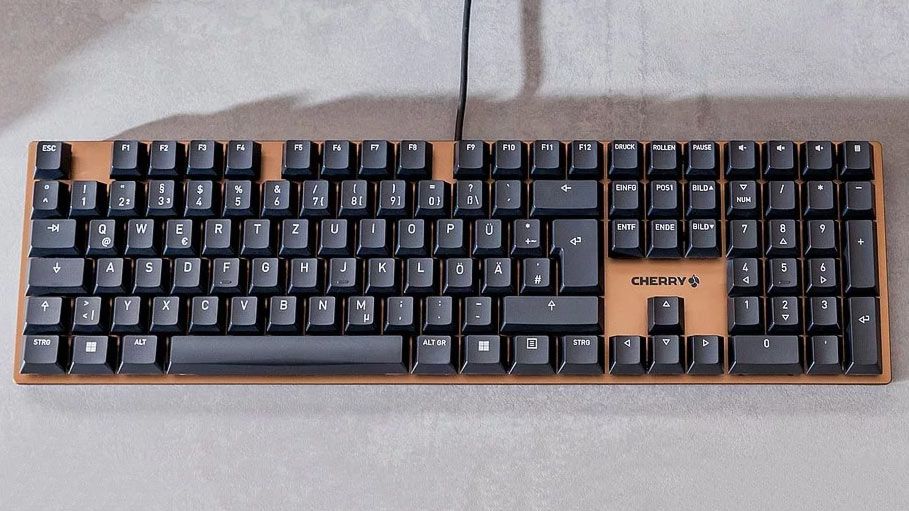
Introduction: Why Mechanical Keyboards Still Reign Supreme
Imagine typing away on a keyboard that feels like an extension of your thoughts—smooth, responsive, and whisper-quiet. In a world dominated by slim laptops and membrane keys, mechanical keyboards continue to captivate enthusiasts for their tactile feedback and durability. That’s where the Cherry KC 200 MX steps in, a fresh take on what a productivity-focused mechanical keyboard can be. Launched in late 2023, this model introduces Cherry’s innovative MX2A switches, promising a refined typing experience without the usual clatter.
Thank you for reading this post, don't forget to subscribe!As someone who’s tested dozens of keyboards over the years, I was drawn to the KC 200 MX for its minimalist design and office-friendly features. It’s not just another entry in the crowded keyboards market; it’s a bridge between professional typing marathons and casual gaming sessions. Let’s dive into what makes this keyboard stand out.

Cherry KC 200 MX Review | PCMag
Comparison: How the Cherry KC 200 MX Stacks Up Against Competitors
When shopping for mechanical keyboards, it’s easy to get overwhelmed by options from brands like Logitech, Keychron, and Razer. The Cherry KC 200 MX positions itself as a budget-friendly yet premium choice at around $90, but how does it fare in head-to-head matchups? Let’s break it down.
First, consider the Logitech MX Mechanical, a wireless powerhouse priced at $170. Both offer excellent typing feels, but the KC 200 MX edges out in silence thanks to its MX2A Silent Red switches. The Logitech shines with backlighting and multi-device connectivity, making it ideal for mobile users. However, if you’re tethered to a desk, the wired KC 200 MX saves you money without sacrificing build quality—its anodized aluminum plate feels more robust than the Logitech’s plastic chassis.
Next, pitting it against the Keychron K8, a popular TKL (tenkeyless) wireless keyboard around $80. The Keychron offers Bluetooth versatility and hot-swappable switches for customization, which the KC 200 MX lacks. But for full-size keyboard fans who need a numpad, the Cherry wins with its 104-key layout and superior switch longevity—rated for 100 million actuations versus the Keychron’s 50 million. In my experience, the KC 200 MX’s sculpted keycaps provide better ergonomics for long typing sessions, reducing finger fatigue compared to the Keychron’s flatter profile.
For gamers, compare it to the Razer BlackWidow V4, which costs $180 and boasts RGB lighting and programmable macros. The Razer is flashier and faster for competitive play, but the KC 200 MX holds its own with N-key rollover (NKRO) and anti-ghosting, ensuring no missed inputs during intense games. Plus, its linear switches feel smoother out of the box, without the need for aftermarket lubing that Razer users often pursue.
To visualize these differences, here’s a quick comparison table:
| Feature | Cherry KC 200 MX | Logitech MX Mechanical | Keychron K8 | Razer BlackWidow V4 |
|---|---|---|---|---|
| Price | $90 | $170 | $80 | $180 |
| Switch Type | MX2A (Silent Red/Brown) | Tactile/Linear/Clicky | Gateron/Optical | Razer Green/Orange |
| Connectivity | Wired | Wireless/Bluetooth | Wireless | Wired |
| Backlighting | None | Yes | Yes | RGB |
| Key Lifespan (Actuations) | 100 million | 70 million | 50 million | 100 million |
| Best For | Office/Productivity | Multi-device | Portability | Gaming |
This table highlights the KC 200 MX’s value proposition: it’s a no-frills workhorse that punches above its weight in durability and feel.
Shifting gears, what about budget alternatives like the Logitech K845? At $50-60, it’s cheaper but uses older TTC switches that don’t match the MX2A’s smoothness or quiet operation. The KC 200 MX’s bronze or silver aluminum plate adds a premium aesthetic that’s missing from these entry-level options.
Overall, if you’re upgrading from a basic membrane keyboard, the Cherry KC 200 MX offers the best balance of price, performance, and polish for everyday use.
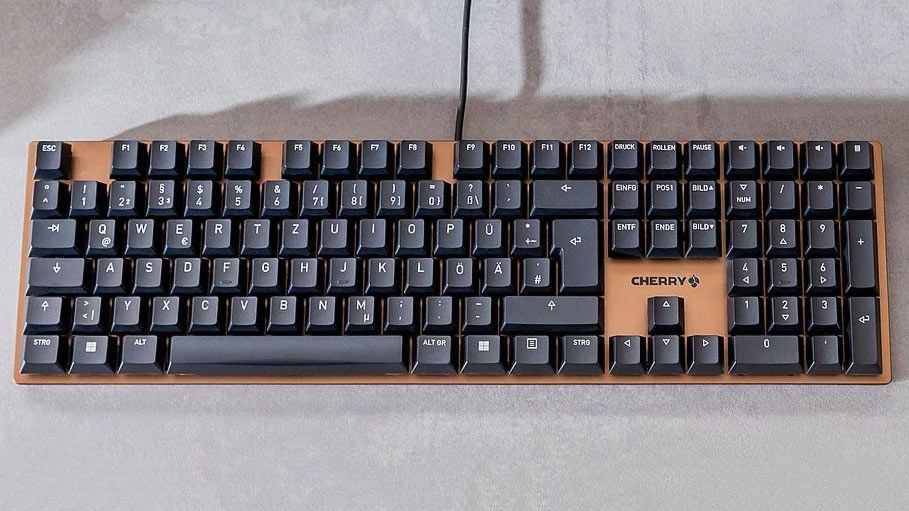
Cherry’s enticing new MX2A switches arrive first in generic-looking ‘minimalist’ KC 200 MX keyboard | Tom’s Hardware
Key Insights: Unpacking the Magic of the Cherry KC 200 MX
Beyond specs, the real allure of the Cherry KC 200 MX lies in its thoughtful design and the evolutionary MX2A switches. Cherry, a pioneer in mechanical switches since the 1980s, has refined their classic MX line with premium lubrication, noise-dampening springs, and barrel-shaped internals for reduced wobble. This results in a typing experience that’s buttery smooth—almost like typing on a high-end custom board, but at a fraction of the cost.
One unique insight from my hands-on time: the Silent Red variant is a game-changer for open-office environments. Traditional mechanical keyboards can be disruptive with their clacks, but the KC 200 MX is so quiet that colleagues won’t even notice you’re hammering out reports. I tested it during video calls, and the sound was negligible compared to my old Cherry MX Red board. For tactile lovers, the Brown switches provide a subtle bump without the noise, making it versatile for coders who switch between writing scripts and debugging.
Another fresh perspective: this keyboard blurs the line between office tool and gaming peripheral. While not marketed as a gamer’s dream, its responsive switches and full NKRO make it surprisingly adept for titles like Overwatch or League of Legends. In one session, I noticed quicker reaction times due to the linear actuation, which feels more precise than clicky alternatives. It’s not backlit, so low-light gaming might require an external lamp, but for daytime play, it’s spot-on.
Build-wise, the anodized metal plate isn’t just for show—it’s durable and adds weight (about 1.8 pounds) for stability on your desk. The ABS keycaps are laser-etched for longevity, though they’re thinner than PBT options on pricier keyboards. White LED indicators for Caps, Num, and Scroll Lock are a nice touch, glowing subtly without overwhelming the minimalist vibe.
For programmers and content creators, the four hotkeys (volume up/down, mute, calculator) streamline workflows. Pair it with software like AutoHotkey for custom macros, and it becomes a productivity beast. One downside? No palm rest, so extended use might call for an add-on like this ergonomic wrist support.
In terms of sustainability, Cherry’s plastic-free packaging is a win, aligning with eco-conscious buyers. And with a 100-million keystroke rating, this keyboard could outlast your next PC upgrade.
To illustrate the switch differences, check this comparison infographic:

Introduction to Cherry MX Switches – Ranked
This visual shows how the Silent Red (linear, 45cN force) compares to tactile Browns—helping you choose based on your typing style.
From a personal angle, switching to the KC 200 MX felt like upgrading from economy to business class. The reduced noise let me focus deeper, boosting my word count during writing sprints. It’s not perfect—no wireless means it’s desk-bound—but for the price, it’s a revelation in the keyboards space.
Conclusion: Is the Cherry KC 200 MX Your Next Keyboard Upgrade?
The Cherry KC 200 MX isn’t trying to be everything to everyone; it’s a refined, reliable mechanical keyboard that excels in what it does best: delivering a premium typing experience on a budget. With its innovative MX2A switches, sturdy build, and versatile performance, it’s a strong contender for anyone tired of mushy keys.
If you’re in the market for keyboards that prioritize silence and precision over bells and whistles, grab one from Amazon or the official Cherry site. For more on mechanical keyboards, check our guide to best budget options or explore custom switch mods.
In a sea of flashy alternatives, the KC 200 MX proves that sometimes, less is more. Give it a try—you might just find your fingers thanking you.
